Bangs completely change a Sim's face, so good bang CC has to sit right against the forehead and read cleanly in the preview without weird clipping. This roundup pulls together fringes of every kind from The Sims Resource — full blunt bangs, wispy curtain styles, side-swept pieces, and hairstyles that come in both with-bangs and without-bangs versions. Whether you want a soft everyday look or something bold and edgy, there's a fringe here for your next Sim. Let's get into the list.
All CC belongs to its original creators and is hosted on The Sims Resource. We link to each creator's TSR page and host nothing ourselves; previews are shown for reference with credit.
1. Bonus Retexture of Sugar Bangs by Ade – @pinkycustomworld
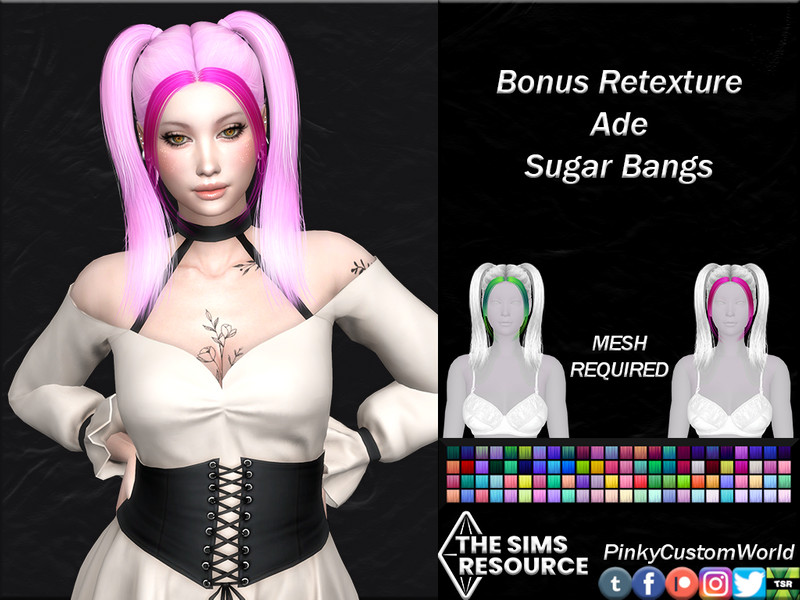
This is a bonus retexture of Ade's popular Sugar Bangs, giving the original mesh a fresh set of colors that blend naturally with default EA skins. The retexture keeps the soft, rounded shape of the fringe while adding cleaner strand detail that catches the light nicely.
Because it's a retexture, you'll need Ade's original Sugar Bangs mesh installed for this to show up in-game. It's a small download that layers extra swatch variety onto a base you may already own, making it an easy way to expand your options.
Created by PinkyCustomWorld
2. Bonus Retexture of Sugar Bangs (Left) by Ade – @pinkycustomworld
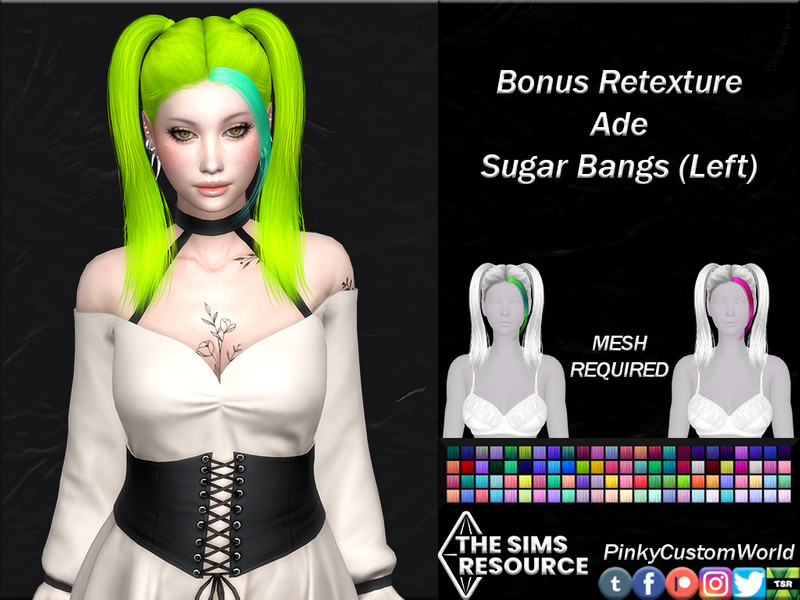
Here the Sugar Bangs are parted to the left, so the fringe sweeps gently toward one side of the face for a slightly asymmetric, softer look. It's a subtle shift from the centered version, and it flatters rounder face shapes by drawing the eye diagonally across the forehead.
As a bonus retexture, it requires Ade's Sugar Bangs mesh to function properly in your game. The recolored swatches match standard EA hair tones, so pairing this fringe with longer CC hair or a Maxis style feels seamless.
Created by PinkyCustomWorld
3. Bonus Retexture of Sugar Bangs (Right) by Ade – @pinkycustomworld
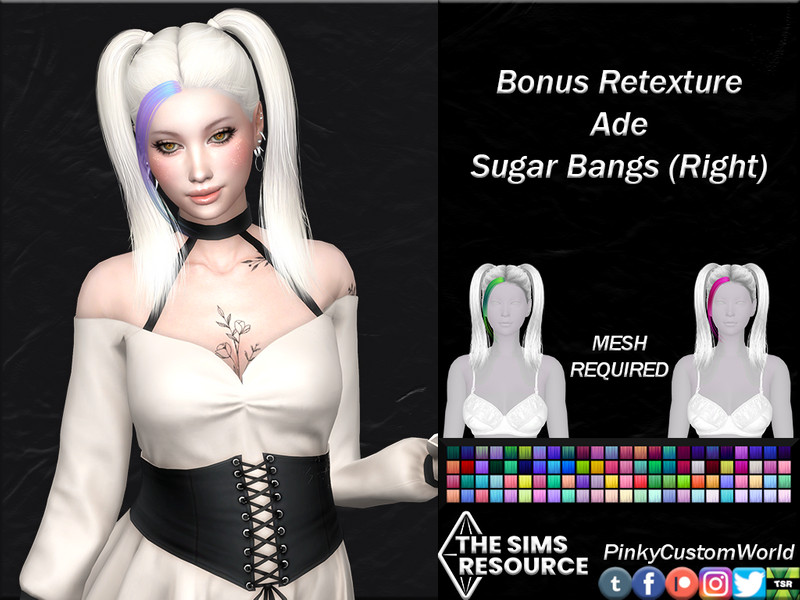
This version mirrors the left-parted Sugar Bangs, sending the fringe toward the right side instead for a look that frames the opposite half of the face. That small change is surprisingly useful when you're matching bangs to a hairstyle that already leans one direction.
You'll want the original Ade mesh installed since this is strictly a texture add-on rather than a standalone hair. The recolor set gives you extra natural shades to work with, so you can fine-tune the fringe to a Sim's exact hair color.
Created by PinkyCustomWorld
4. Retexture of Sugar Bangs (Left) by Ade – @pinkycustomworld
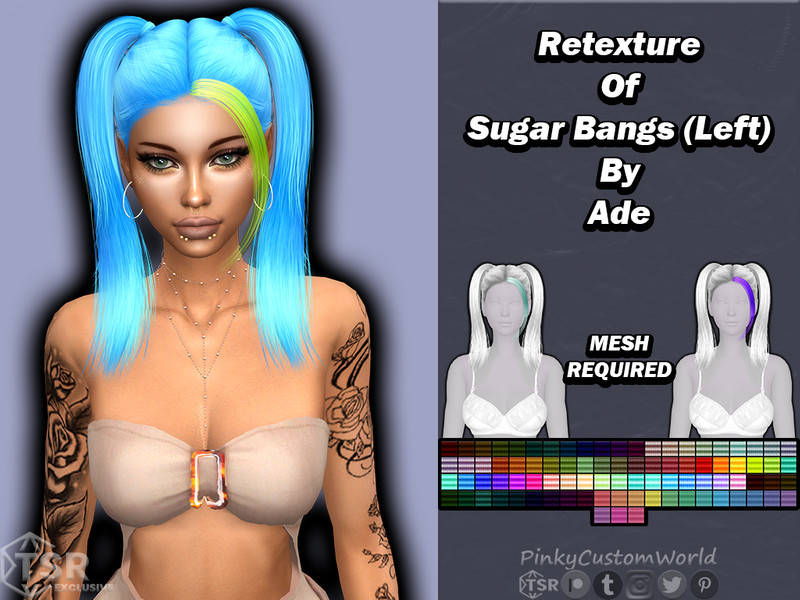
A cleaner, more grounded retexture of the left-parted Sugar Bangs, this one focuses on realistic strand shading rather than fantasy tones. The result is a fringe that looks believable in close-up shots and story screenshots, sitting flat and natural against the brow.
Since it's a retexture, Ade's Sugar Bangs mesh is required for it to appear. It's a solid choice if you already build your Sims around Ade hair and want consistent, EA-friendly coloring across your fringe pieces.
Created by PinkyCustomWorld
5. Retexture of Sugar Bangs (Right) by Ade – @pinkycustomworld
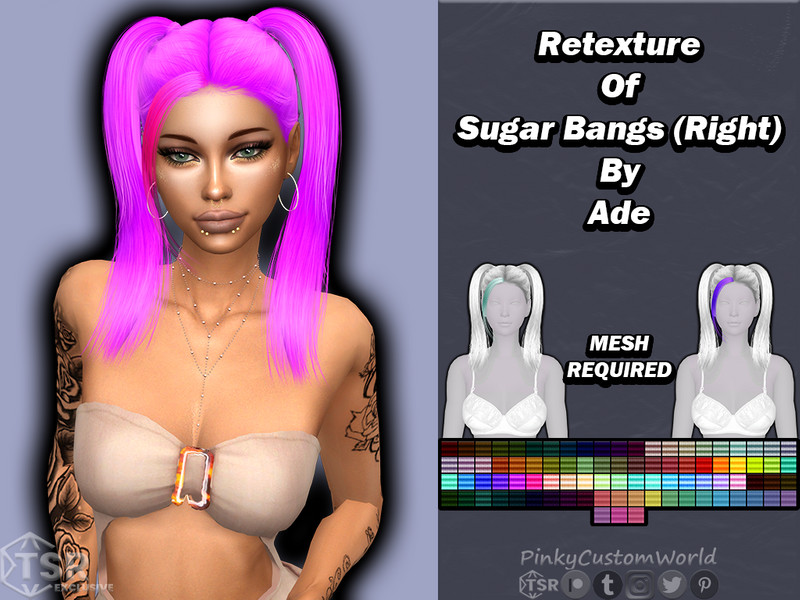
This retexture takes the right-parted Sugar Bangs and dresses it in natural, everyday hair colors that sit comfortably alongside base-game styles. The shading is soft and even, so the fringe reads as tidy rather than overly stylized in the preview.
Because it depends on the original Ade mesh, make sure Sugar Bangs is in your Mods folder before installing. It rounds out the left-and-right set nicely, letting you swap the parting direction depending on which side your Sim's hair falls.
Created by PinkyCustomWorld
6. Sintiklia – Hair set s52 Kira – @sintikliasims
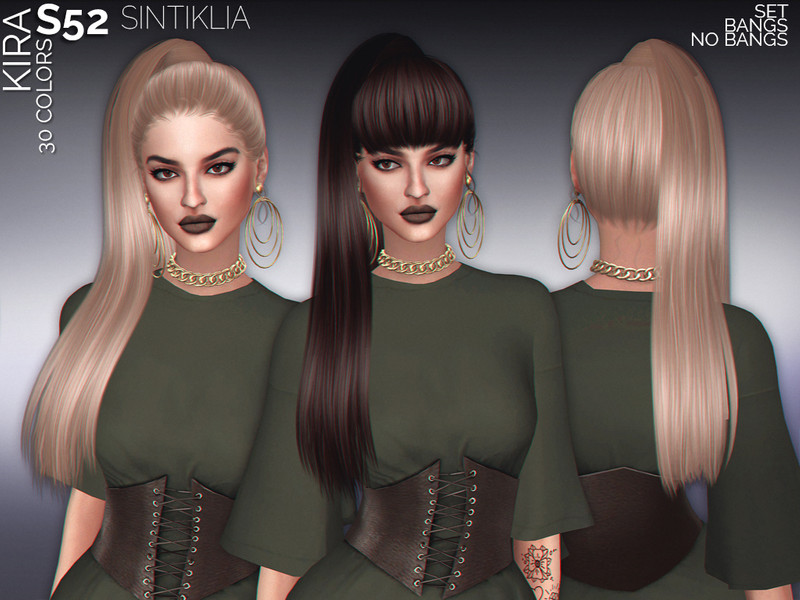
Kira is a full hair set from Sintiklia rather than a fringe alone, combining a sleek main style with its own built-in bangs for a complete, polished look. The set is designed with careful, modern texturing that gives it that smooth, premium finish Sintiklia is known for.
It comes in a generous swatch range covering both natural and trend shades, so you can push it soft and neutral or bold and colorful. As a full hair, it's standalone and doesn't need another mesh, making it an easy drop-in for female Sims.
Created by SintikliaSims
7. Retexture of Sugar Bangs by Ade (Set) – @pinkycustomworld
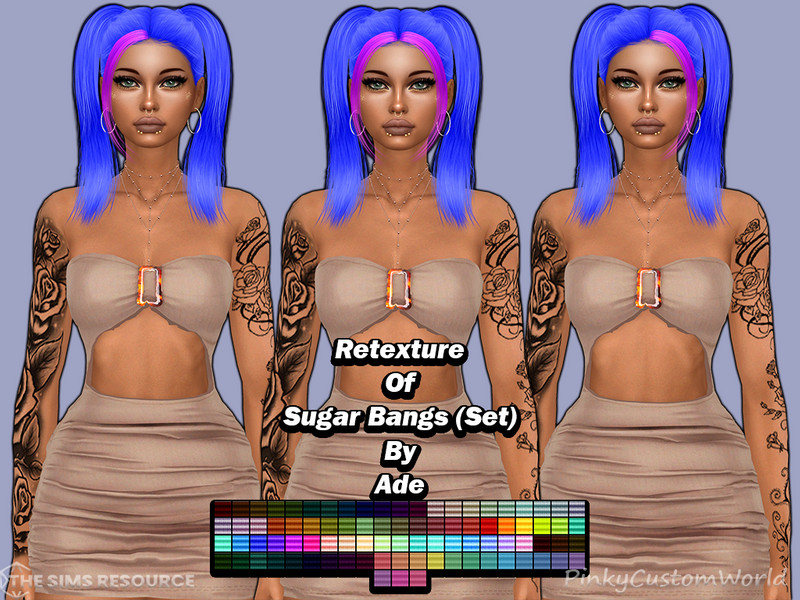
This is the full set version of the Sugar Bangs retexture, bundling the centered fringe with a matching range of recolored swatches in one convenient package. Grabbing the set means you don't have to piece together individual parts to get consistent coloring across the fringe.
It still relies on Ade's Sugar Bangs mesh, so keep that installed alongside it. The set approach is handy for players who want every shade available at once rather than hunting down separate left and right downloads.
Created by PinkyCustomWorld
8. Retexture of Sugar Bangs by Ade – @pinkycustomworld
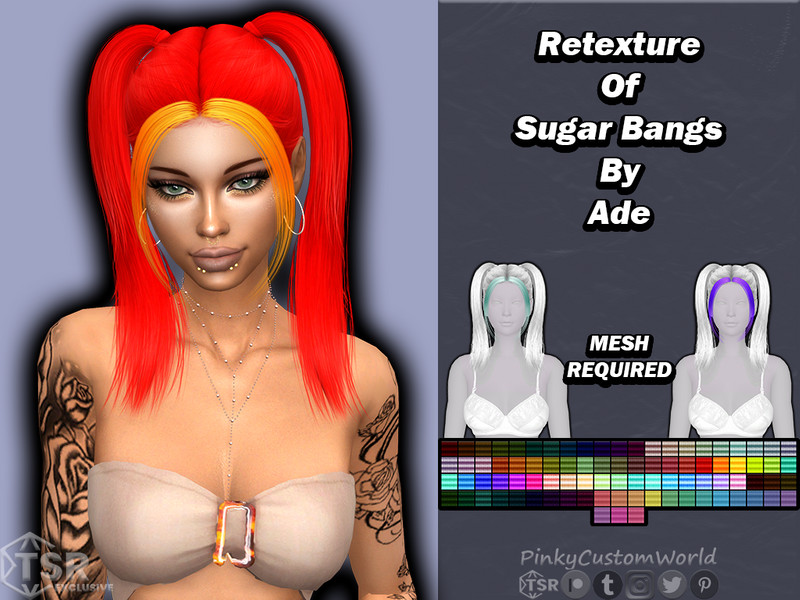
The core retexture of Ade's centered Sugar Bangs, this piece gives the fringe a refreshed palette of natural tones that sit neatly in the middle of the forehead. The shape is soft and slightly wispy, framing the eyes without hiding them entirely.
You'll need the original Ade mesh for it to show, since it only replaces textures. It's a great starting point if you're new to layering fringe CC and want a clean, no-fuss centered look to build outfits around.
Created by PinkyCustomWorld
9. Two low tails and bangs – @mysteriousoo
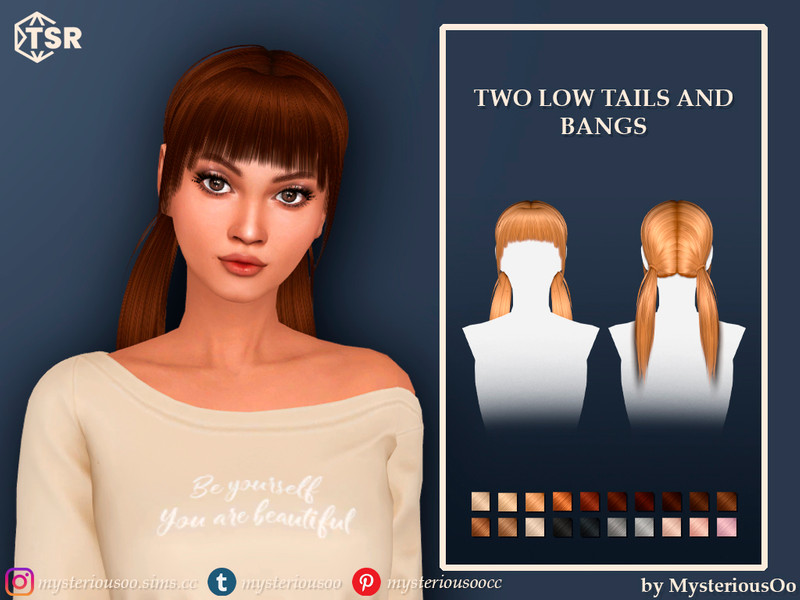
This creation pairs two low pigtails with a set of front bangs, giving a youthful, playful silhouette that works beautifully for casual and cute looks. The low placement of the tails keeps things relaxed rather than sporty, and the fringe softens the whole face.
It's a standalone hairstyle, so there's no separate mesh to track down before using it. The combination of tails and bangs makes it especially charming on younger Sims or anyone going for a sweet, everyday aesthetic.
Created by MysteriousOo
10. Short hair with bangs and braids – @mysteriousoo
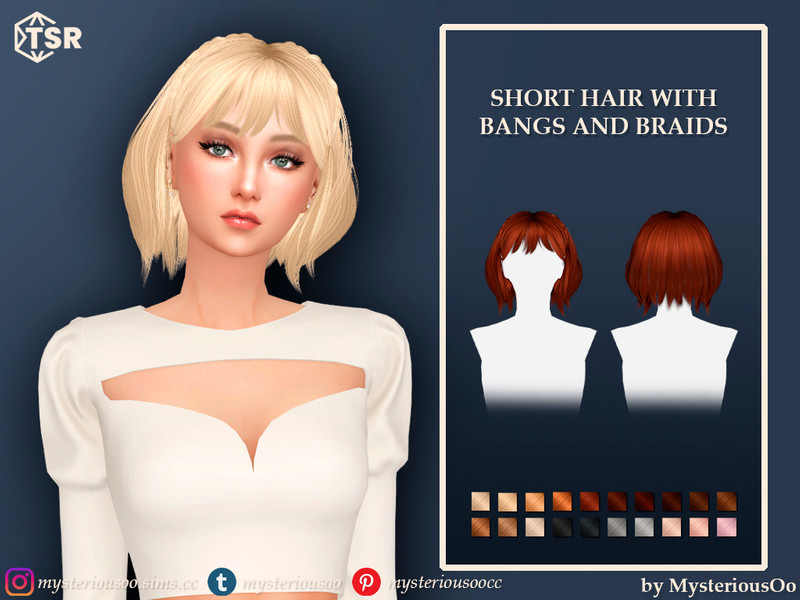
Here a short cut is combined with both bangs and small braids, mixing a tidy length with a couple of decorative braided accents near the crown. That braid detail adds texture and interest that a plain short style wouldn't have, keeping the look from feeling flat.
The bangs sit at the front to frame the eyes, balancing the shorter back nicely. It's a fun option for Sims who want something low-maintenance but still visually interesting, and it stands on its own without extra requirements.
Created by MysteriousOo
11. Ryujin – Style 4 without Bangs (Hairstyle) – @ade_darma
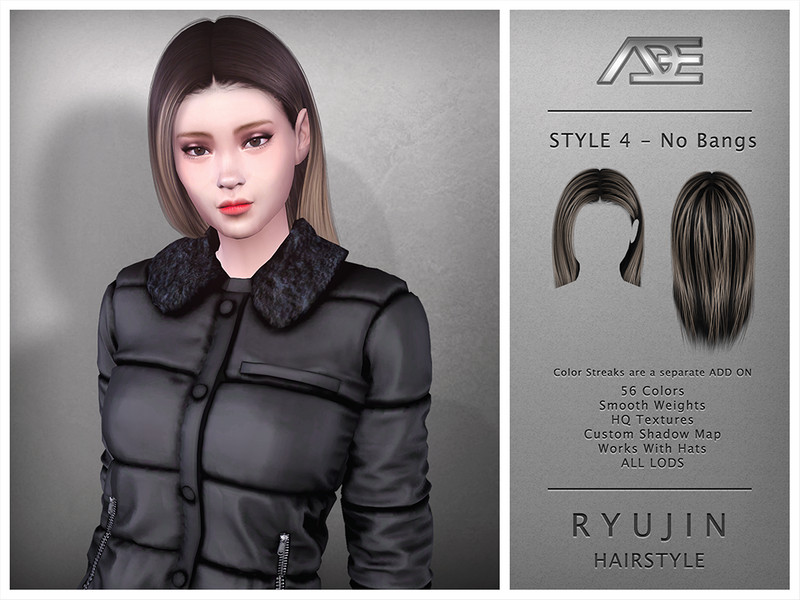
This is Ade's Ryujin Style 4 in its without-bangs version, showing off the full shape of the hair with a clean, open forehead. Naming it after the K-pop idol, Ade gives the style a sleek, performance-ready finish with sharp mesh detail.
Being a complete standalone hair, it needs no other files to work in your game. If you prefer to see your Sim's brow and pair it with separate fringe pieces, this bare version gives you the freedom to mix and match.
Created by Ade_Darma
12. Ryujin – Style 4 with Bangs (Hairstyle) – @ade_darma
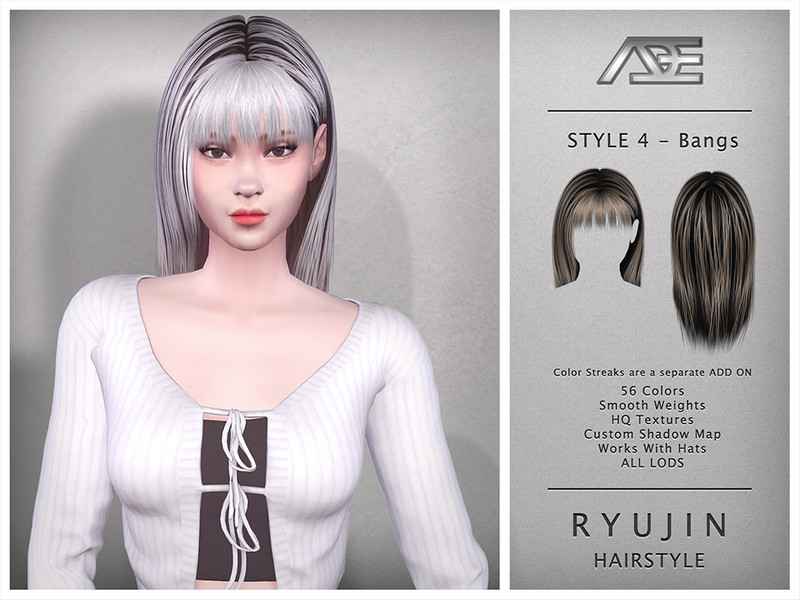
The with-bangs take on Ryujin Style 4 adds a front fringe to the same base hair, softening the face and giving it a more idol-inspired, camera-ready feel. The bangs are shaped to sit lightly across the forehead rather than covering the whole thing.
Like its counterpart, it's a full standalone hairstyle with no extra mesh needed. Having both bang and non-bang versions of the same style is genuinely useful when you want variety without changing the overall silhouette.
Created by Ade_Darma
13. Ryujin – Style 3 with Bangs (Hairstyle) – @ade_darma
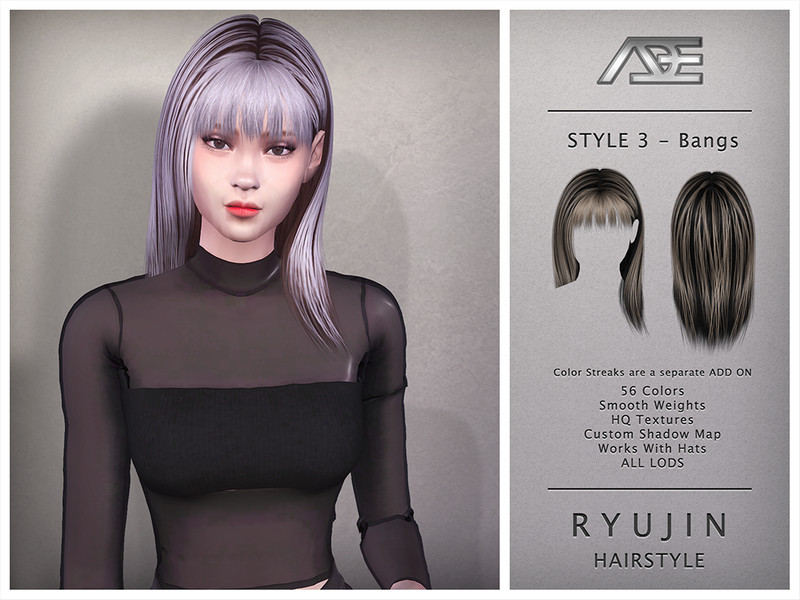
Ryujin Style 3 with bangs offers a different length and flow from Style 4 while keeping that same polished, K-pop-inspired energy. The fringe here frames the eyes and pulls the whole look together for a soft yet fashionable result.
It installs as a complete hair, so you won't need to hunt for any dependencies. This is a strong pick if you're building an idol-themed Sim and want a fringe that reads as intentional and styled rather than accidental.
Created by Ade_Darma
14. Ryujin – Style 3 without Bangs (Hairstyle) – @ade_darma
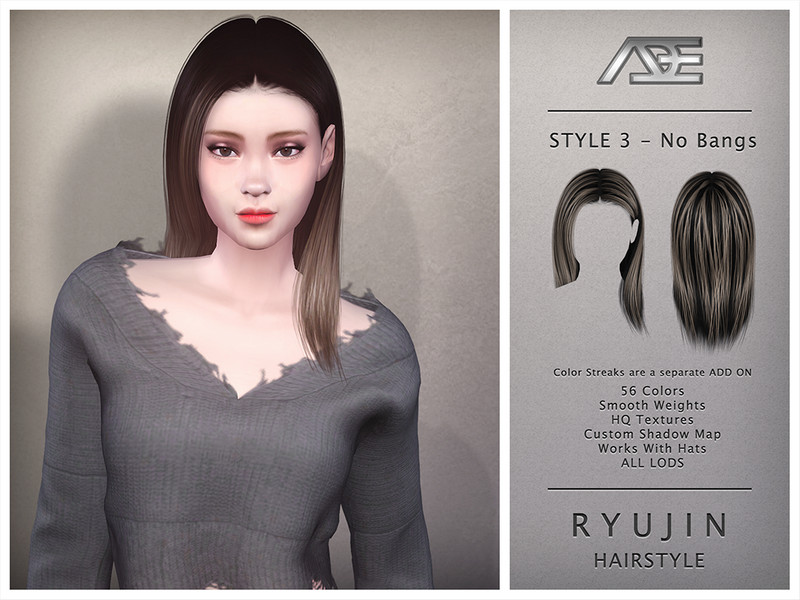
This is the without-bangs cut of Ryujin Style 3, presenting the hair with a fully exposed forehead for a cleaner, more mature silhouette. The mesh detail stays crisp, showing the way the strands fall and separate around the shoulders.
As a standalone style it drops straight into your game with no prerequisites. Choosing the bang-free version lets you show off more of a Sim's face, which is handy when the eyes or brows are the focal point of a look.
Created by Ade_Darma
15. Ryujin – Style 2 with Bangs (Hairstyle) – @ade_darma
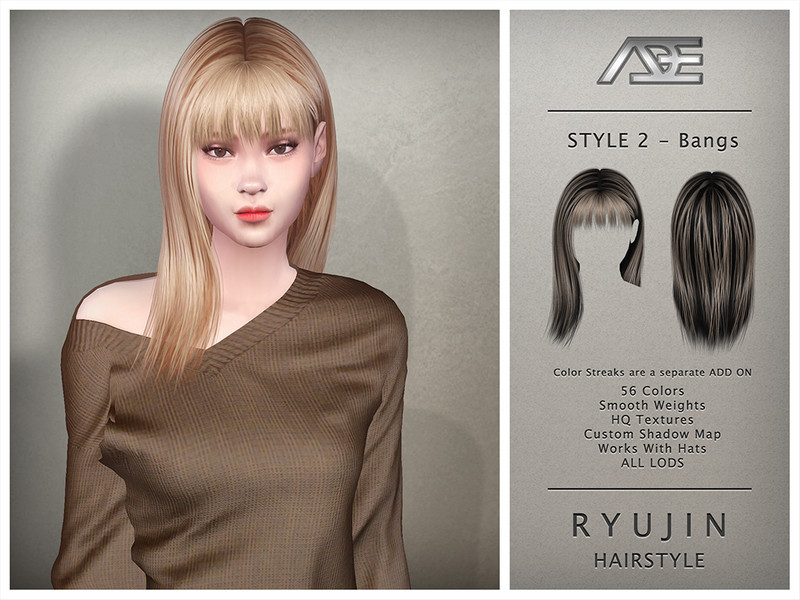
Ryujin Style 2 with bangs brings another variation to the collection, this time with a fringe that adds softness to a slightly different base shape. The bangs help round the face and give the style a gentler, more approachable feel.
It stands alone without needing another mesh, so setup is simple. If you're collecting the whole Ryujin range, this with-bangs option adds welcome variety and pairs nicely with a similar makeup or outfit theme.
Created by Ade_Darma
16. Ryujin – Style 2 without Bangs (Hairstyle) – @ade_darma
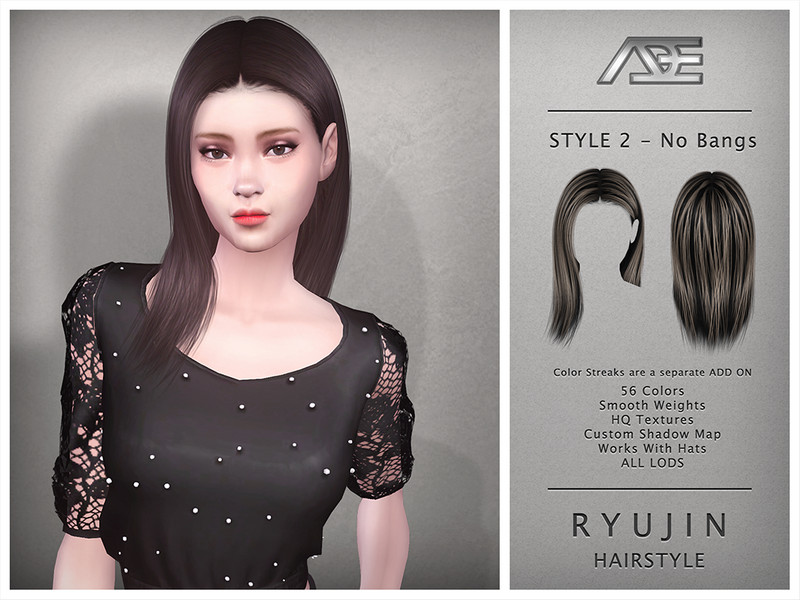
The bare version of Ryujin Style 2 skips the fringe to reveal the full forehead, giving a sleeker and more grown-up impression. The clean brow makes it easy to combine with separate bang CC if you want to customize the front later.
Being a full standalone hair, it requires nothing extra to use. This version suits Sims who prefer a polished, off-the-face look, and it photographs well in close-ups where you want the face fully visible.
Created by Ade_Darma
17. Ryujin – Style 1 with Bangs (Hairstyle) – @ade_darma
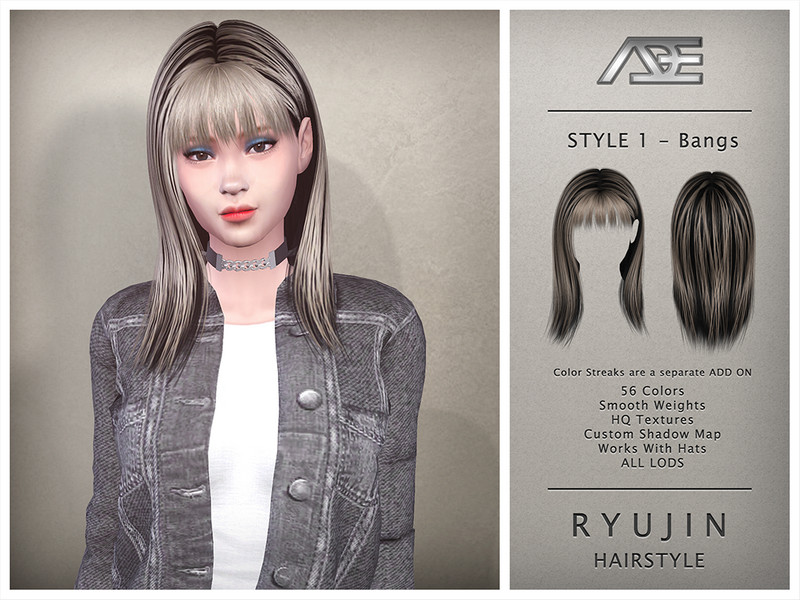
Ryujin Style 1 with bangs kicks off the numbered set with a fringed front and Ade's signature smooth texturing. The bangs sit softly across the brow, framing the eyes and giving the style that idol-stage polish the whole series aims for.
There's no separate mesh to install since this is a complete hair on its own. It's a great foundational piece if you want to start collecting the Ryujin range and see which length and fringe combination suits your Sims best.
Created by Ade_Darma
18. Ryujin – Style 1 without Bangs (Hairstyle) – @ade_darma
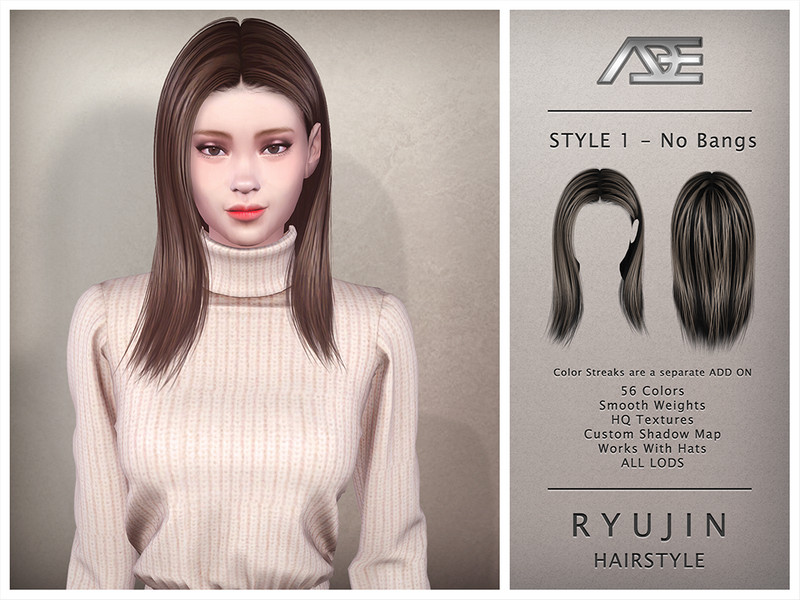
This without-bangs version of Ryujin Style 1 opens up the forehead for a cleaner, more minimal look while keeping the same flowing base. The exposed brow gives it a versatile, adaptable feel that works across many outfit styles.
It's a standalone hair that needs no other files to appear in your game. Choosing the bang-free version means you can layer your own fringe or simply enjoy a full-face look, making it a flexible addition to any hair folder.
Created by Ade_Darma
19. Fantasy Retexture of Be Alright (Bangs) hair by Ade – @pinkycustomworld
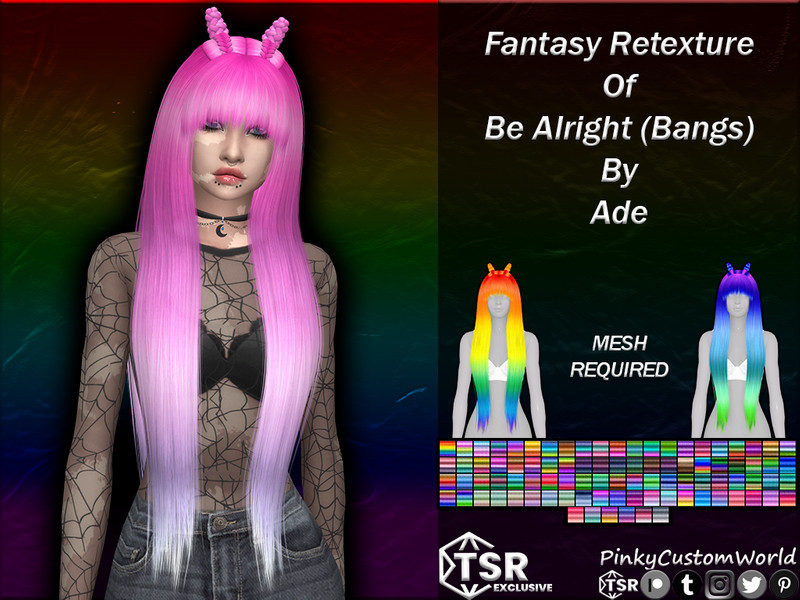
This is a fantasy retexture of Ade's Be Alright hair in its bangs version, leaning into bold, unnatural colors like vivid pastels and jewel tones. The fantasy palette is perfect for fairies, mermaids, and any Sim who lives outside the ordinary color range.
As a retexture, it requires Ade's original Be Alright mesh to work. The bright swatches layer beautifully onto the fringed style, letting you take the same shape somewhere far more magical and eye-catching than the natural version.
Created by PinkyCustomWorld
20. Bonus Retexture of Dangerous Woman (Bangs) hair by Ade – @pinkycustomworld
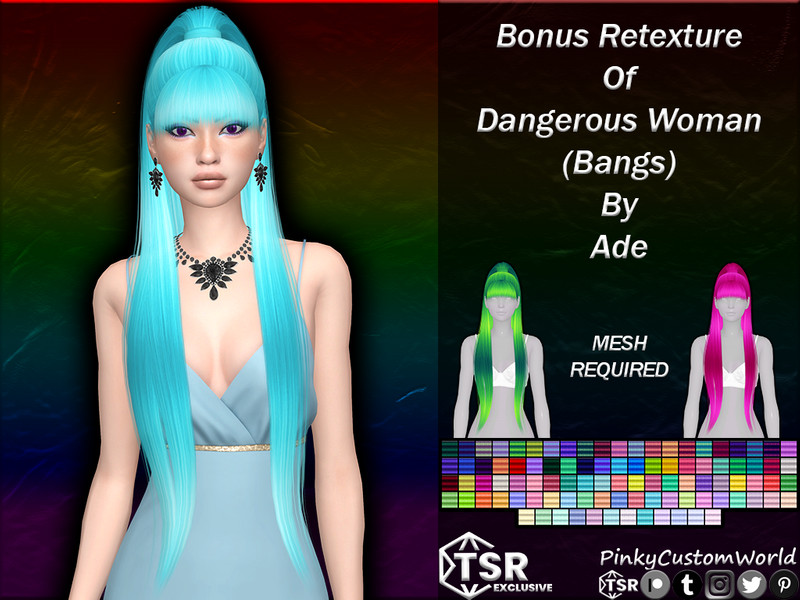
A bonus retexture of Ade's Dangerous Woman hair with bangs, this piece adds an extra spread of colors to the fringed style beyond the standard set. The bonus swatches give you more room to fine-tune the shade to match a specific outfit or vibe.
You'll need the original Dangerous Woman mesh installed for this to show up. It's a nice supplement for players who already love the style and simply want a wider palette to work with across their Sims.
Created by PinkyCustomWorld
21. Fantasy Retexture of Dangerous Woman (Bangs) hair by Ade – @pinkycustomworld
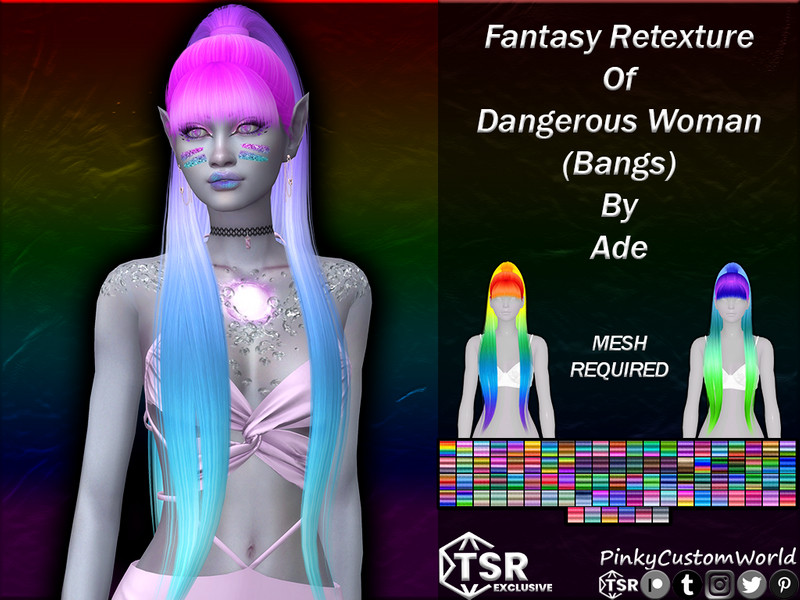
This fantasy retexture takes Dangerous Woman's bangs version into unnatural territory with dreamy, saturated colors made for otherworldly Sims. The fringe shape stays the same, but the coloring transforms it into something suited to fantasy stories and bold characters.
Since it's a texture-only file, Ade's Dangerous Woman mesh needs to be in your game first. Pair it with matching fantasy makeup and you've got a striking look that stands out immediately in any screenshot.
Created by PinkyCustomWorld
22. Dedicated Hairstyle – @shimydim
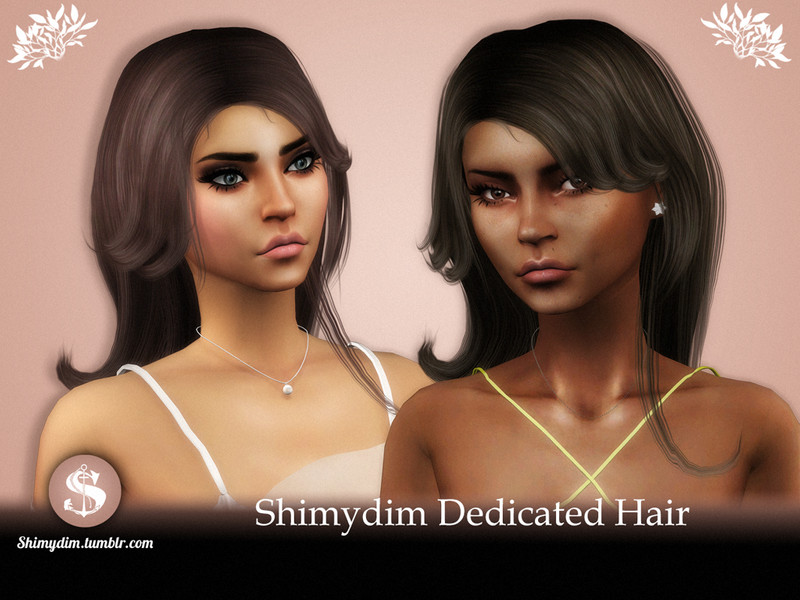
Dedicated Hairstyle from Shimydim is a full standalone creation featuring a soft fringe worked into a complete, wearable look. Shimydim's styles tend to have a gentle, natural flow, and this one frames the face with an easygoing charm.
There's no separate mesh required, so it drops straight into your game ready to wear. It's a lovely everyday option for Sims who want bangs as part of a full hairstyle rather than a separate add-on piece.
Created by Shimydim
23. Tears (Bangs) – @ade_darma
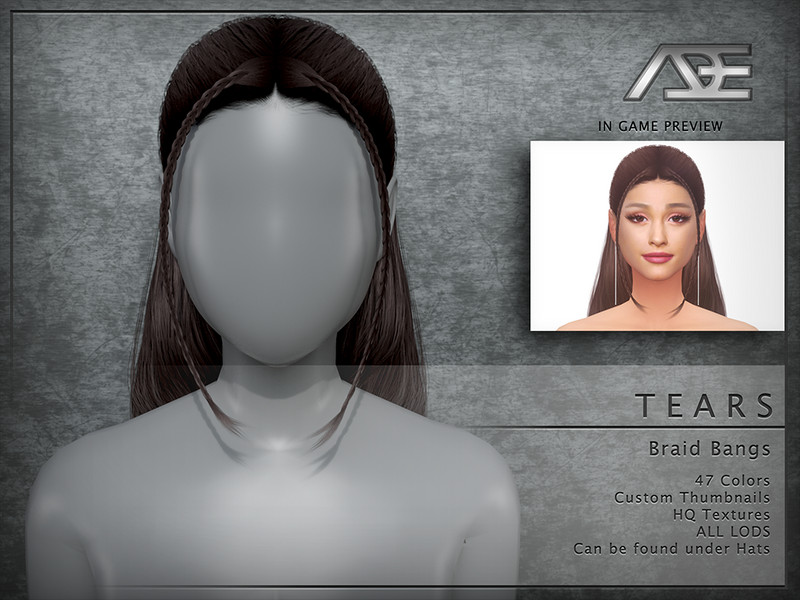
Tears is one of Ade's own fringe pieces, this being the centered bangs version with his characteristic smooth, high-quality texturing. The fringe has a delicate, slightly wispy edge that softens the forehead without feeling heavy or blunt.
It works as a bangs accessory to layer over other hairstyles, so you can add a fringe to styles that don't have one. This makes it a flexible tool for mixing and matching, especially with pulled-back or updo hairs.
Created by Ade_Darma
24. Tears (Bangs L) – @ade_darma
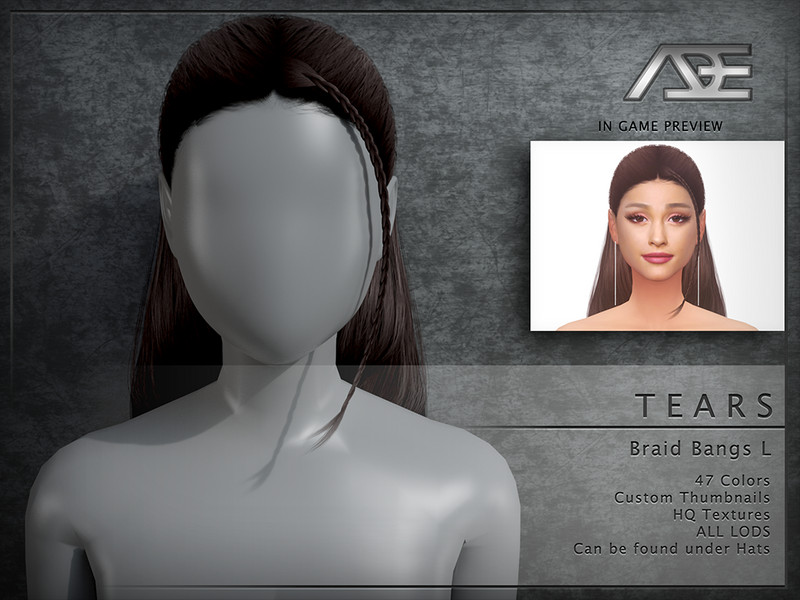
This is the left-parted variant of Ade's Tears bangs, sweeping the fringe gently toward one side for a softer, asymmetric frame. That directional shift pairs especially well with hairstyles that already lean or sweep the same way.
As a fringe piece by Ade, it layers over existing hair rather than replacing a whole style. The clean texturing means it blends convincingly with both CC and Maxis hairs, giving you a quick way to customize the front of any look.
Created by Ade_Darma
25. Ade – Stefanie Recolor [Bangs] – @theeawkwardone
![Sims 4 Ade - Stefanie Recolor [Bangs] by TheeAwkwardOne](https://res.cloudinary.com/o1pbdl5q/image/upload/v1785099848/tsr/qdx1rgupcjvlsy5ptp8n.jpg)
TheeAwkwardOne's recolor takes Ade's Stefanie hair in its bangs version and dresses it in a fresh custom palette. Recolors like this are a great way to get a beloved style in shades the original didn't include, matching your Sim's exact aesthetic.
Because it's a recolor, Ade's Stefanie mesh is required for it to appear in-game. The bangs frame the face softly, and the new swatches make it easy to coordinate the hair with a specific outfit or overall color story.
Created by TheeAwkwardOne
26. Ade – Tears (Bangs R) – @ade_darma
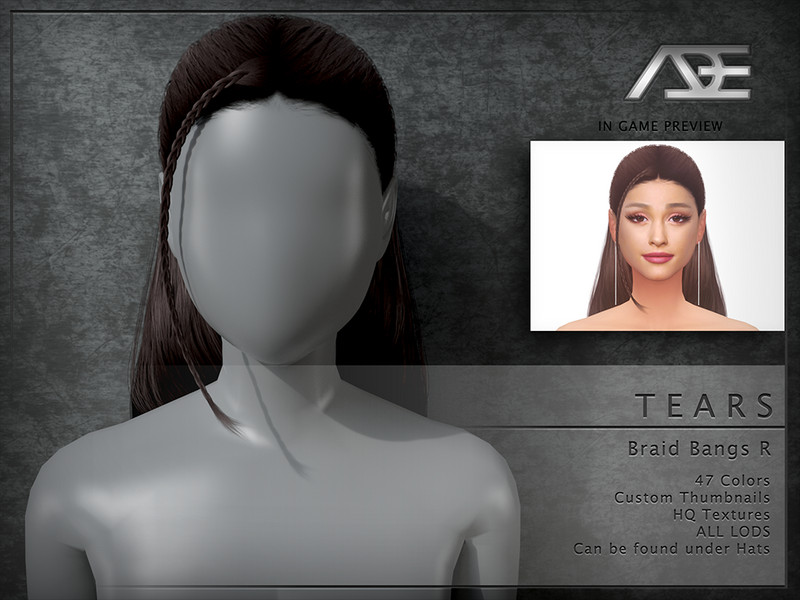
This right-parted version of Ade's Tears bangs mirrors the left variant, sending the fringe toward the opposite side of the face. Having both directions available lets you match the fringe precisely to whichever way a hairstyle naturally falls.
It's a layerable bangs piece, so it sits over other hair rather than functioning as a full style. The refined texturing keeps it looking natural up close, making it a handy finishing touch for updos and slicked-back looks.
Created by Ade_Darma
27. Ade – Sugar (Bangs L) – @ade_darma
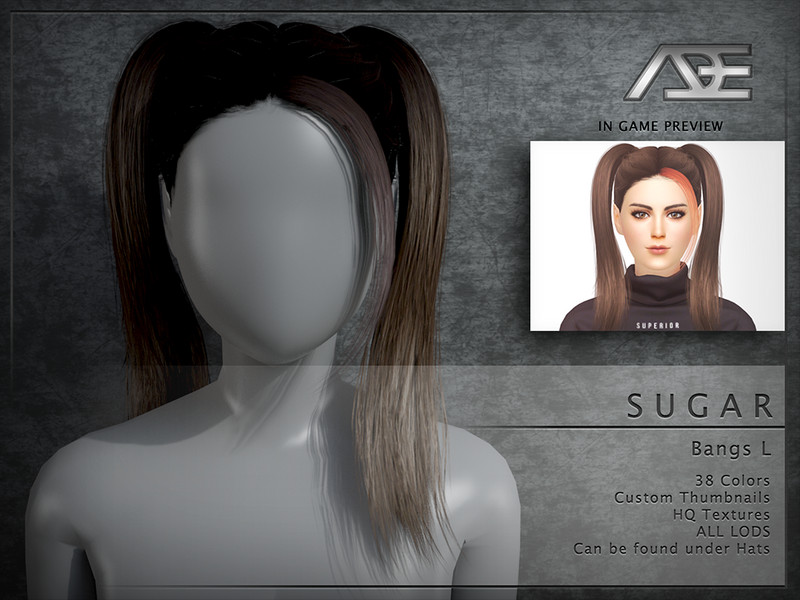
Ade's Sugar bangs in the left-parted form deliver a soft, sweet fringe that sweeps to one side with a gentle, rounded edge. The Sugar line is known for its light, airy feel, and this direction flatters faces that need a touch of softness on the left.
As a standalone fringe piece, it layers over your Sim's existing hairstyle to add a front fringe. The smooth mesh detail means it blends convincingly with all kinds of longer styles, from ponytails to loose waves.
Created by Ade_Darma
28. Ade – Sugar (Bangs R) – @ade_darma
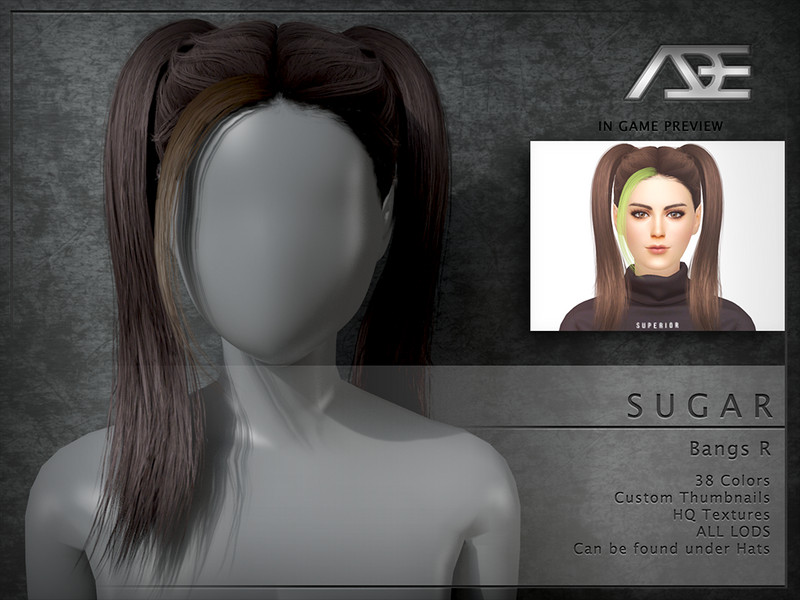
This is the right-parted Sugar bangs from Ade, offering the same soft fringe swept toward the opposite side. Pairing it with the left version gives you full control over which direction the fringe falls, depending on your Sim's look.
It works as a layerable accessory rather than a complete hair, so you can add it on top of other styles. The delicate strand shaping keeps it looking natural and light, perfect for gentle, feminine everyday looks.
Created by Ade_Darma
29. Ade – Sugar (Bangs) – @ade_darma
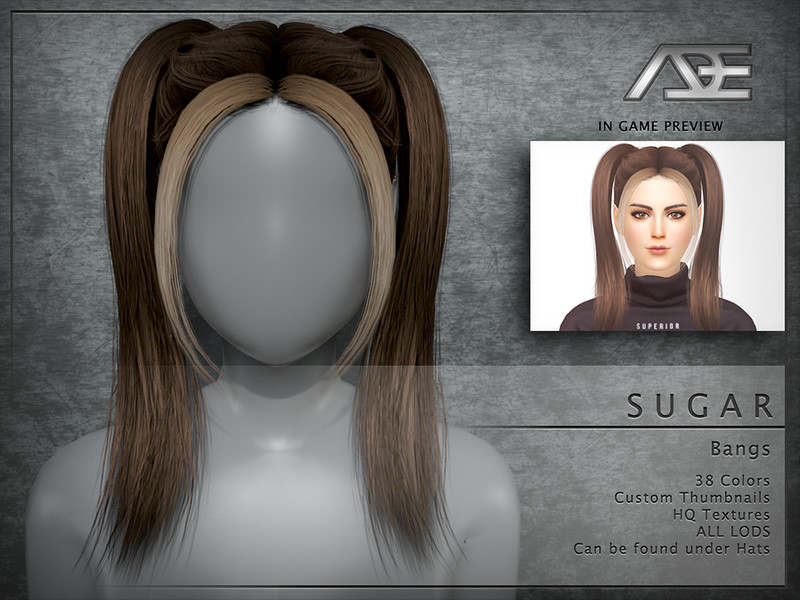
The centered Sugar bangs by Ade round out the trio with a fringe that sits evenly across the middle of the forehead. It's the most balanced of the three directions, framing both eyes symmetrically for a classic, tidy fringe look.
Like the side versions, it's a standalone piece meant to layer over existing hair. The soft, wispy texturing gives it a natural finish that works whether your Sim's hair is pulled up, tied back, or worn loose.
Created by Ade_Darma
30. Ade – Cyber (Bangs L) – @ade_darma
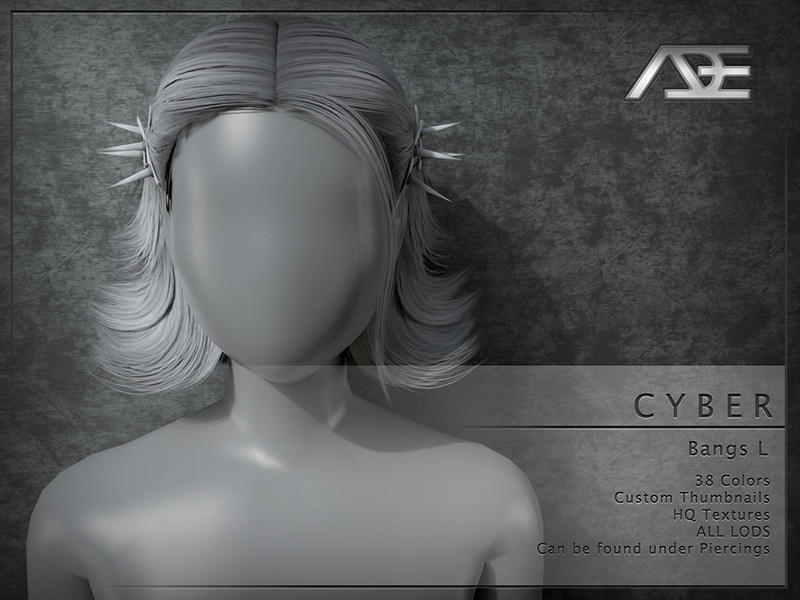
Ade's Cyber bangs in the left-parted version bring a slightly edgier, more structured fringe compared to the softer Sugar line. The Cyber styling has a sleeker, more defined edge that suits futuristic, streetwear, or bold fashion Sims.
It's a layerable fringe accessory, so you can add it over pulled-back or shorter hairstyles for extra front detail. The crisp mesh work holds up well in close shots, giving the fringe a clean, deliberate shape.
Created by Ade_Darma
31. Ade – Cyber (Bangs) – @ade_darma
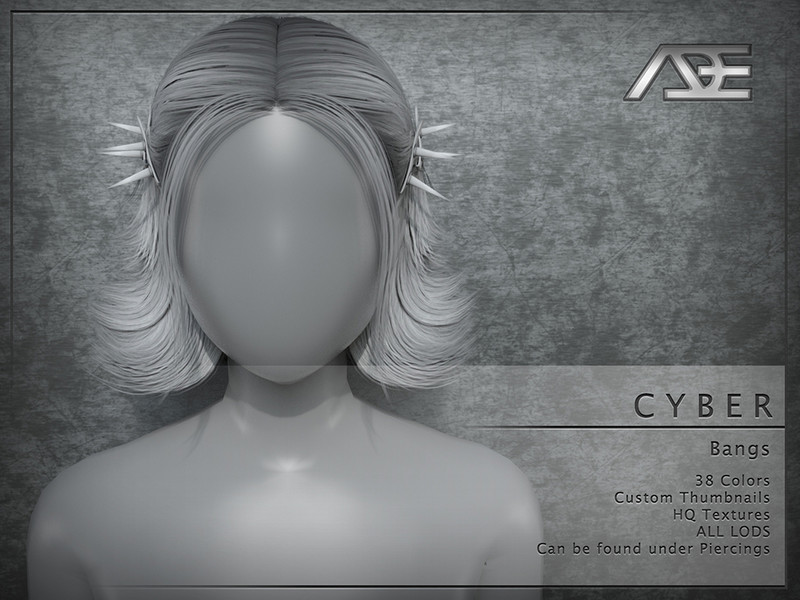
This centered Cyber fringe from Ade sits evenly across the forehead with the same sharp, modern styling as its side variants. The balanced placement makes it versatile, working for both edgy and everyday looks depending on the hair you pair it with.
As a standalone bangs piece, it layers over other hairstyles rather than replacing them. The defined strand detail gives it a slightly more sculpted feel than softer fringes, which is great for Sims who want a bit more attitude.
Created by Ade_Darma
32. Ade – Cyber (Bangs R) – @ade_darma
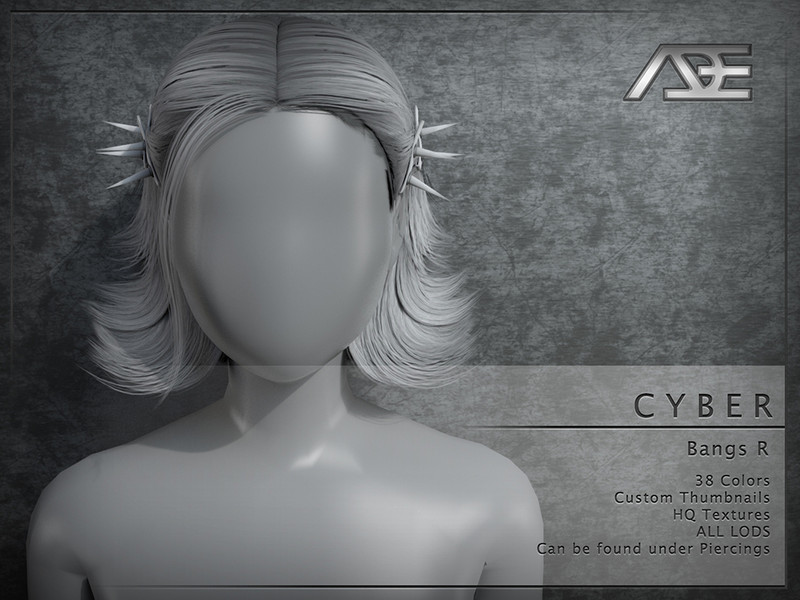
The right-parted Cyber bangs complete Ade's set, sweeping the sleek fringe toward the opposite side. This direction lets you match the fringe to hairstyles that lean right, keeping the whole look cohesive and intentional.
It's a layer-over accessory, so it adds a fringe to existing hair without needing to change the full style. The clean, structured edge makes it a strong choice for modern, fashion-forward, or futuristic Sim designs.
Created by Ade_Darma
33. Bonus retexture of Be Alright (Bangs) hair by Ade – @pinkycustomworld
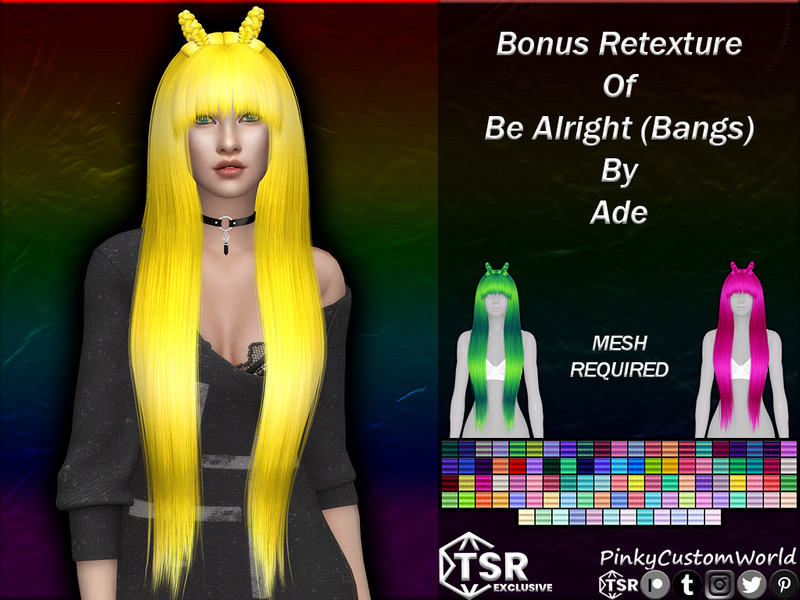
This bonus retexture of Ade's Be Alright hair with bangs adds an extra set of swatches beyond the standard palette. The bonus colors give you more flexibility to match the fringed style to specific outfits or moods across your Sims.
Since it's a retexture, Ade's Be Alright mesh must be installed for it to appear. It's a convenient way to expand your color options on a style you already enjoy, without adding a whole new hairstyle to your folder.
Created by PinkyCustomWorld
34. Retexture of Dangerous Woman (bangs) hair by Ade – @pinkycustomworld
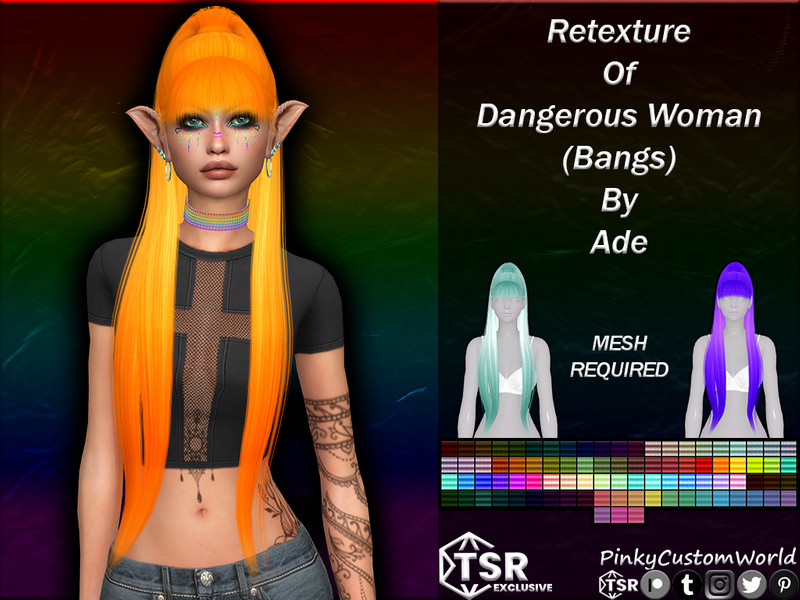
A straightforward retexture of Ade's Dangerous Woman hair in its bangs version, this piece refreshes the style with a set of natural, EA-friendly tones. The recolored swatches keep the fringe looking realistic and easy to pair with Maxis and CC alike.
You'll need Ade's original Dangerous Woman mesh for this to function. It's a solid everyday choice for players who want the popular fringed style in believable, grounded colors rather than fantasy shades.
Created by PinkyCustomWorld
35. Retexture of Be Alright (Bangs) hair by Ade – @pinkycustomworld
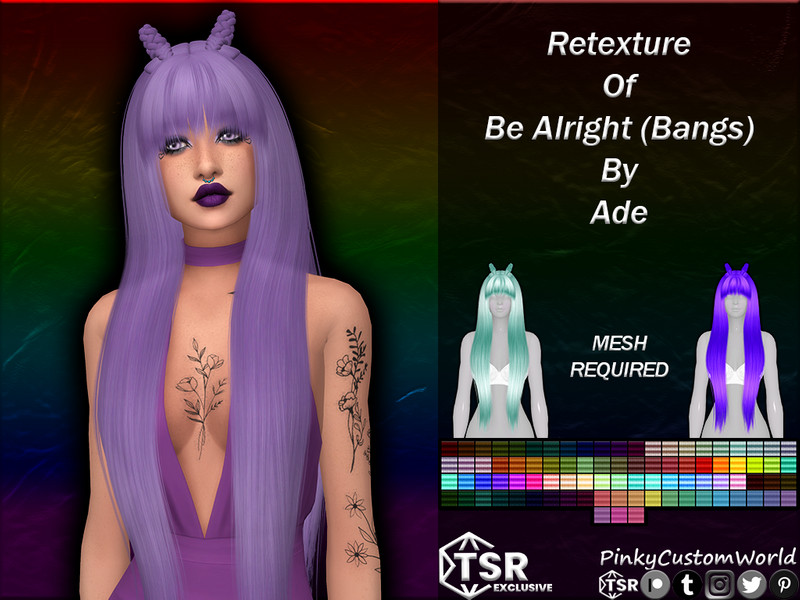
This retexture of Ade's Be Alright hair with bangs gives the style a clean, natural color range for realistic gameplay looks. The even shading makes the fringe read as tidy and lifelike, sitting comfortably against the forehead in close-ups.
As a retexture, the original Be Alright mesh is required in your Mods folder. It's a dependable pick if you build Sims around natural tones and want the fringed version of this style to match the rest of your collection.
Created by PinkyCustomWorld
36. Lola Hair v2 (half bangs) – @feralpoodles
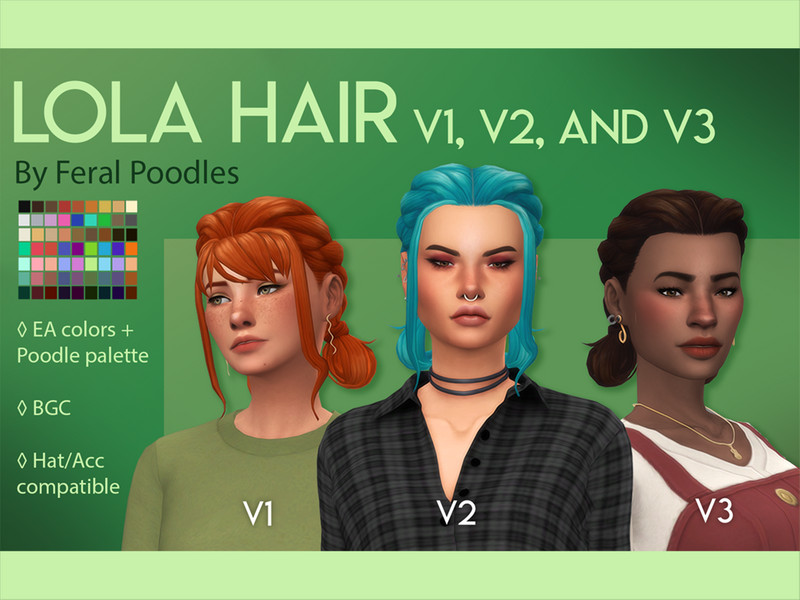
Lola Hair v2 from feralpoodles features half bangs, meaning the fringe is parted or opened up in the middle rather than covering the full brow. This half-fringe style gives a trendier, more relaxed curtain-bang vibe that's been hugely popular lately.
It's a complete standalone hairstyle, so no additional mesh is needed to wear it. The half-bang shaping frames the face while still showing part of the forehead, making it a flattering, on-trend choice for many face shapes.
Created by feralpoodles
37. Lola Hair V1 (full bangs) – @feralpoodles
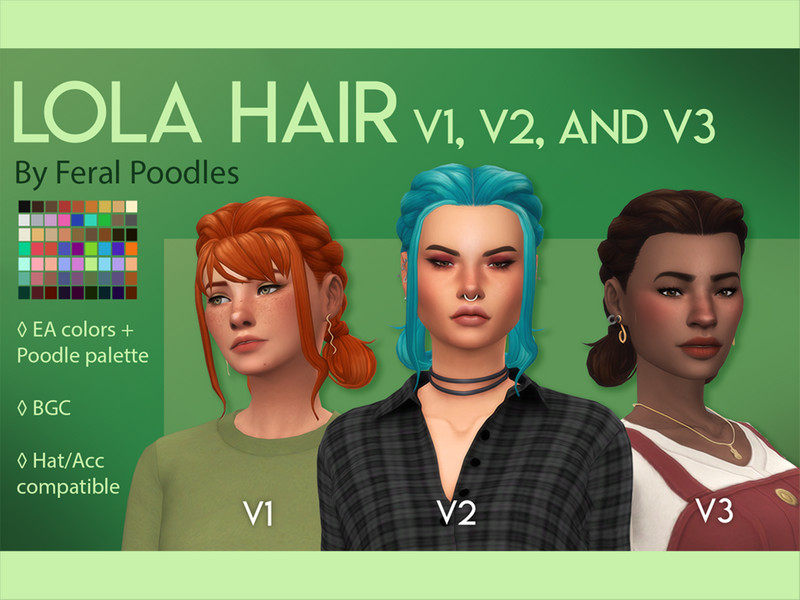
The v1 version of feralpoodles' Lola Hair goes for full bangs instead, laying a complete fringe across the forehead for a bolder, more classic look. This fuller fringe suits Sims who want the dramatic, eye-framing effect of proper blunt-ish bangs.
Like the half-bang version, it's a standalone hair that installs on its own. Having both v1 and v2 lets you choose between a full statement fringe and a softer half-parted look while keeping the same base style.
Created by feralpoodles
38. E-girl hair – Buns&Bangs – @mai_alyssa
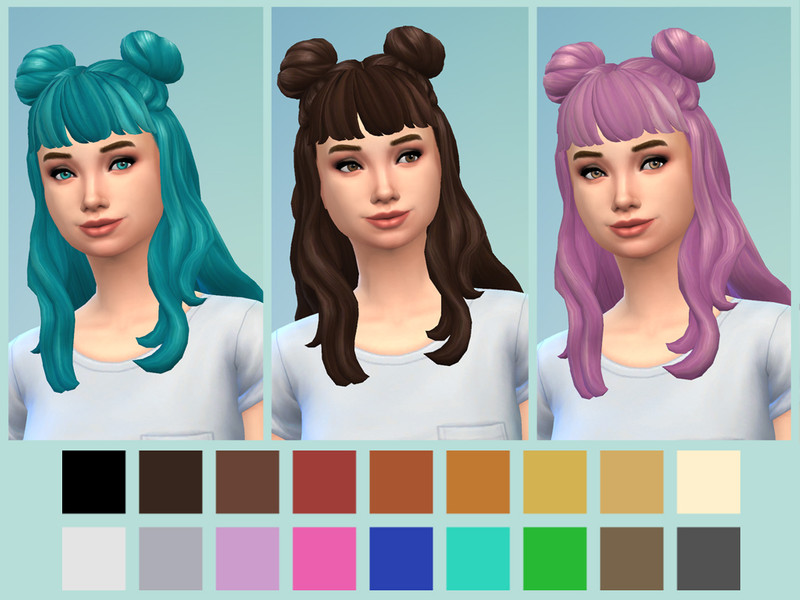
Mai_alyssa's E-girl hair combines space buns with bangs for a playful, internet-culture-inspired look that's full of personality. The double buns sit up high while the fringe frames the face, capturing that distinctly e-girl aesthetic perfectly.
It's a full standalone hairstyle, so there's nothing extra to install. This is an ideal pick for Sims with an alt, streamer, or online-culture vibe, and it photographs beautifully for character-driven stories and profile shots.
Created by Mai_alyssa
39. Shalerei SI9389 – Pony with side-bangs – @shalerei
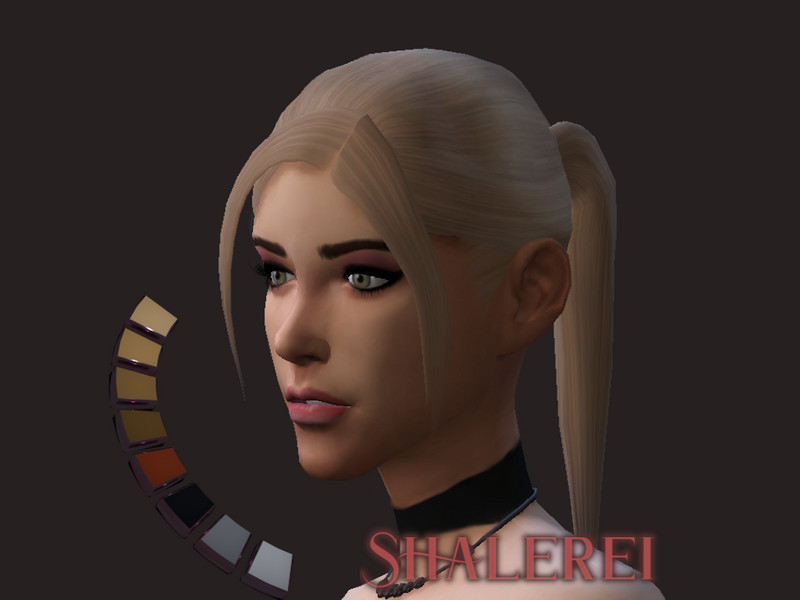
Shalerei's SI9389 is a ponytail paired with side-swept bangs, blending a practical pulled-back style with a soft fringe at the front. The side-bangs keep the look from feeling too severe, adding a gentle frame to balance the sleek tied-back hair.
It's a complete hairstyle that stands on its own without dependencies. The combination of ponytail and fringe makes it versatile for both casual and dressed-up scenes, working well on Sims of many styles and settings.
Created by Shalerei
40. Shot Hair with Bangs – @ladyfancyfeast
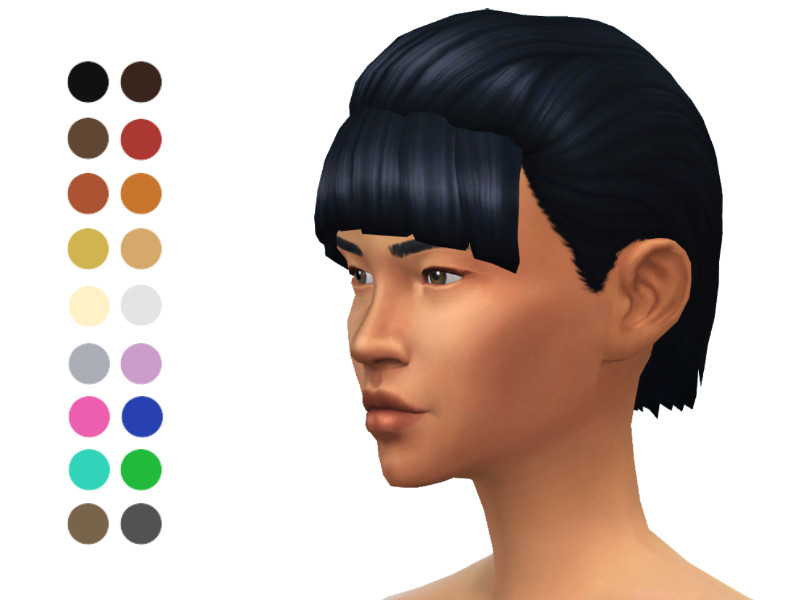
ladyfancyfeast's short hair with bangs offers a tidy, cropped cut paired with a front fringe for a clean, low-maintenance look. Short styles with bangs are great for pixie-adjacent or bob-length aesthetics, and this one keeps things neat and wearable.
As a standalone hair, it doesn't need any other files to appear in your game. It's a lovely everyday option for Sims who prefer shorter hair but still want the softening effect that a fringe brings to the face.
Created by ladyfancyfeast
41. Sintiklia – Hair s52 Kira with bangs – @sintikliasims
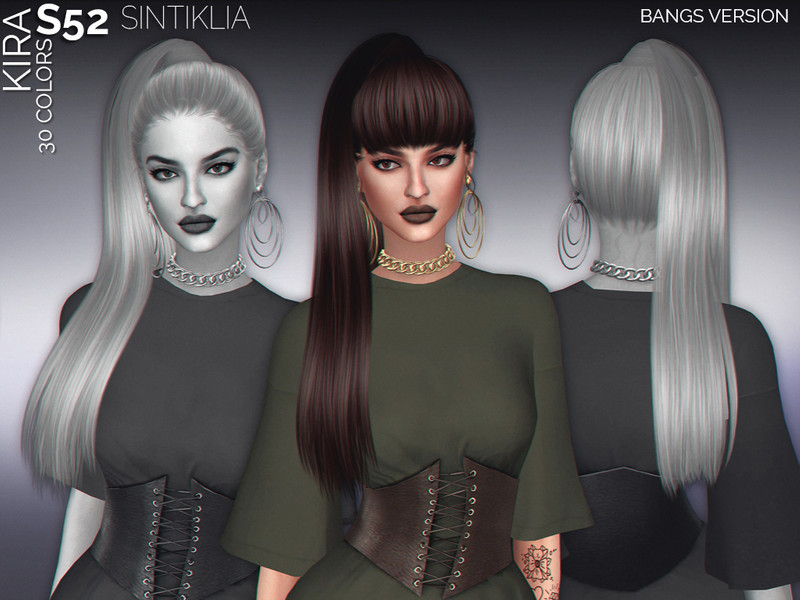
This is Sintiklia's s52 Kira hairstyle specifically in its with-bangs configuration, adding a fringe to the sleek, polished base style. Sintiklia's signature smooth texturing gives it a premium, high-quality finish that stands out in previews.
It comes as a complete standalone hair, so you won't need a separate mesh to use it. The with-bangs version frames the face softly, making it a refined choice for female Sims who want an elegant look with a gentle fringe.
Created by SintikliaSims
42. Sintiklia – Hair s46 Mira with bangs – @sintikliasims
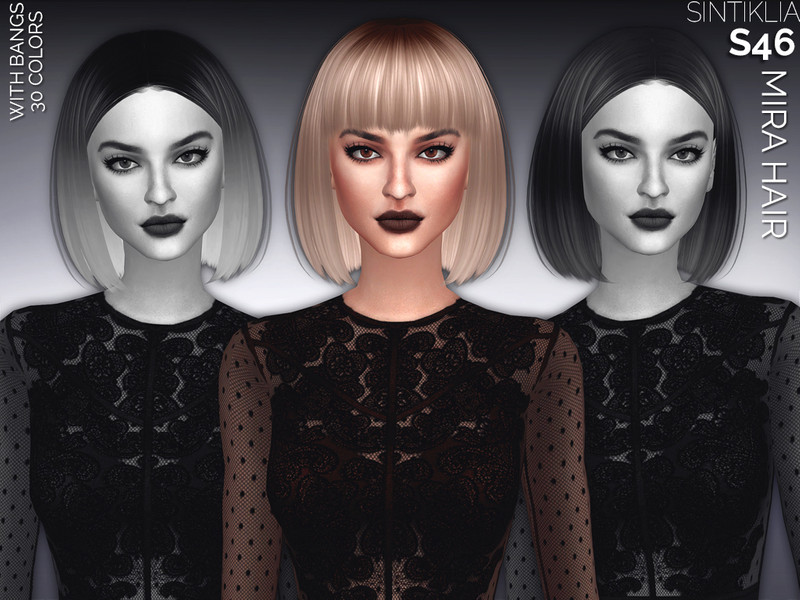
Sintiklia's s46 Mira with bangs is another polished full hairstyle that incorporates a fringe into a flowing, modern base. The careful strand detailing and smooth finish give it the refined look Sintiklia is well known for across their catalog.
Being standalone, it drops into your game with no extra requirements. The fringe softens the overall silhouette, and the style's clean shaping makes it easy to pair with a wide range of outfits and makeup looks.
Created by SintikliaSims
43. Kjlck – Short Hair With Bangs – @kjlck
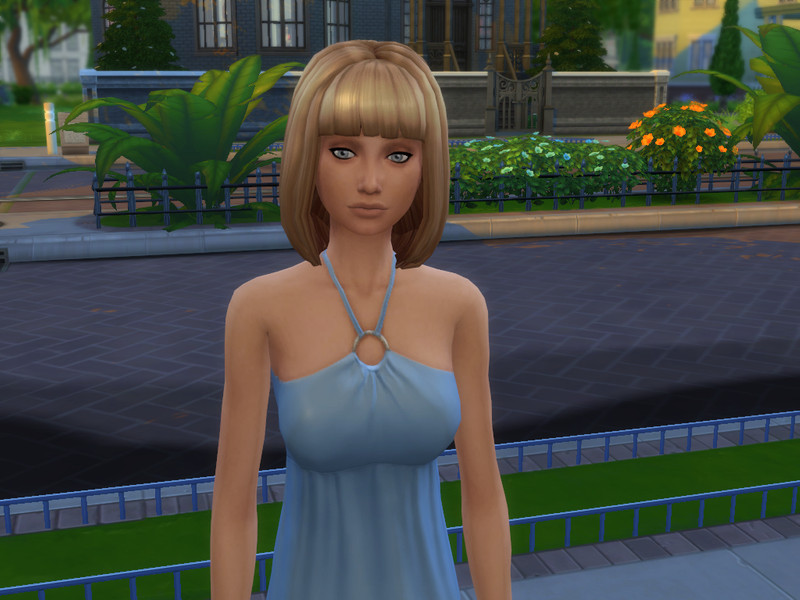
kjlck's short hair with bangs delivers a compact, cropped style topped with a front fringe for a fresh, modern look. Short cuts like this photograph cleanly and suit Sims going for a minimalist or slightly androgynous aesthetic with a soft fringe touch.
It installs as a complete standalone hairstyle, needing nothing else to work. The fringe frames the eyes while the short length keeps things neat, making it a great pick for casual, sporty, or understated Sim designs.
Created by kjlck
44. Pastel Ombre Long Straight Bangs – @plumbobfae
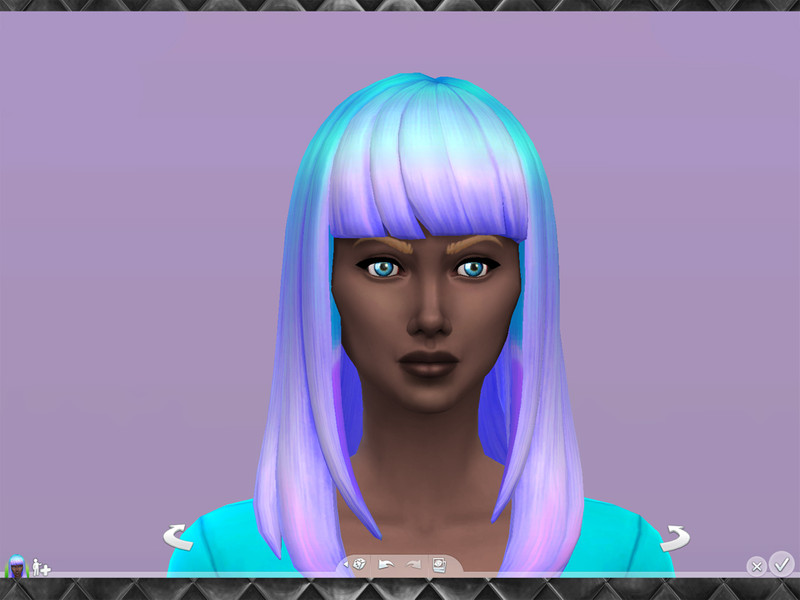
plumbobfae's Pastel Ombre Long Straight Bangs pairs a long, sleek straight length with a fringe and a dreamy pastel ombre gradient. The soft color fade from root to tip gives it a whimsical, fairy-tale quality that's perfect for fantasy or soft-aesthetic Sims.
It's a full standalone hairstyle, so no separate mesh is required. The straight bangs keep the front tidy while the flowing length and gentle color transition make it a real statement piece for dreamy, ethereal looks.
Created by plumbobfae
45. Girl medium Straight Hair w/ Bangs Re-textured – @niteskky
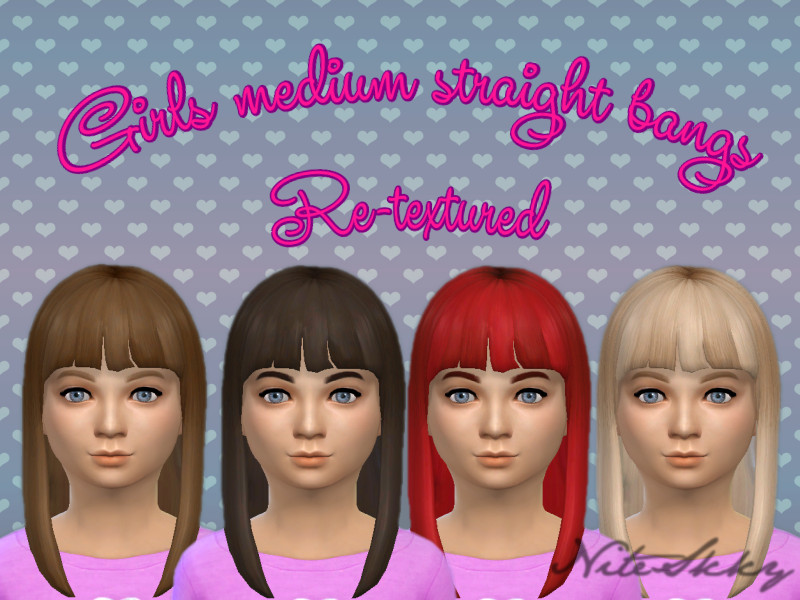
NiteSkky's re-textured medium straight hair with bangs offers a mid-length style refreshed with new, cleaner textures. Medium lengths are endlessly versatile, and this fringed version frames the face while keeping the overall look balanced and easy to wear.
Depending on the original, you may need the base mesh this retexture was made for, so check the download page. The refreshed texturing gives the straight style a smoother, more polished appearance that suits everyday gameplay Sims.
Created by NiteSkky
46. Long ponytail with unkept bangs – @plumbobfae
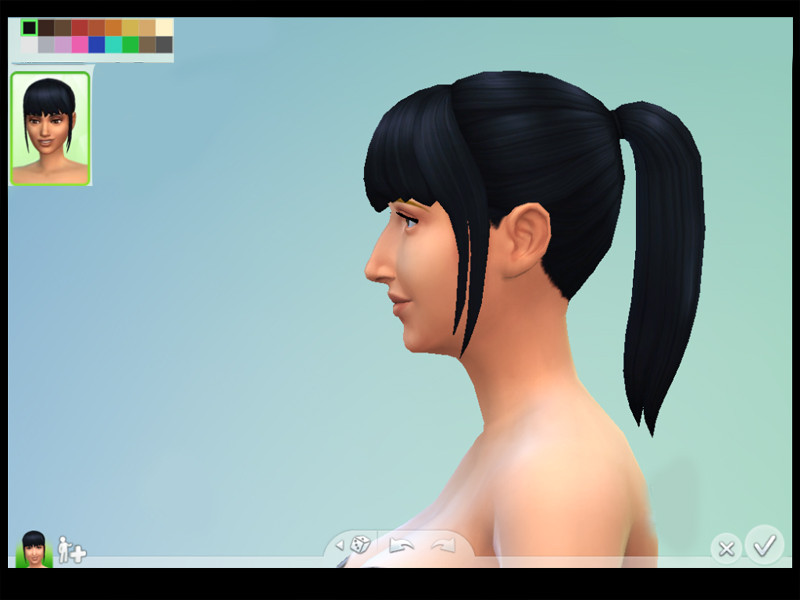
This long ponytail with unkempt bangs from plumbobfae mixes a sleek tied-back length with a deliberately messy, tousled fringe. That undone fringe gives the whole look a relaxed, lived-in charm rather than a perfectly neat finish, which feels wonderfully natural.
It's a complete standalone hairstyle that installs with no extra files needed. The contrast between the smooth ponytail and the casual bangs makes it a characterful choice for laid-back, effortless-looking Sims across many styles.
Created by plumbobfae
Final Thoughts
Bangs are one of the fastest ways to give a Sim a whole new personality, and this mix of soft fringes, edgy cuts, and full styles has a look for every character. Grab a few and see which fringe fits your Sims best.